More Uplaods Stats Plugin
This is a plugin for collecting more upload statistics in Nicotine+.
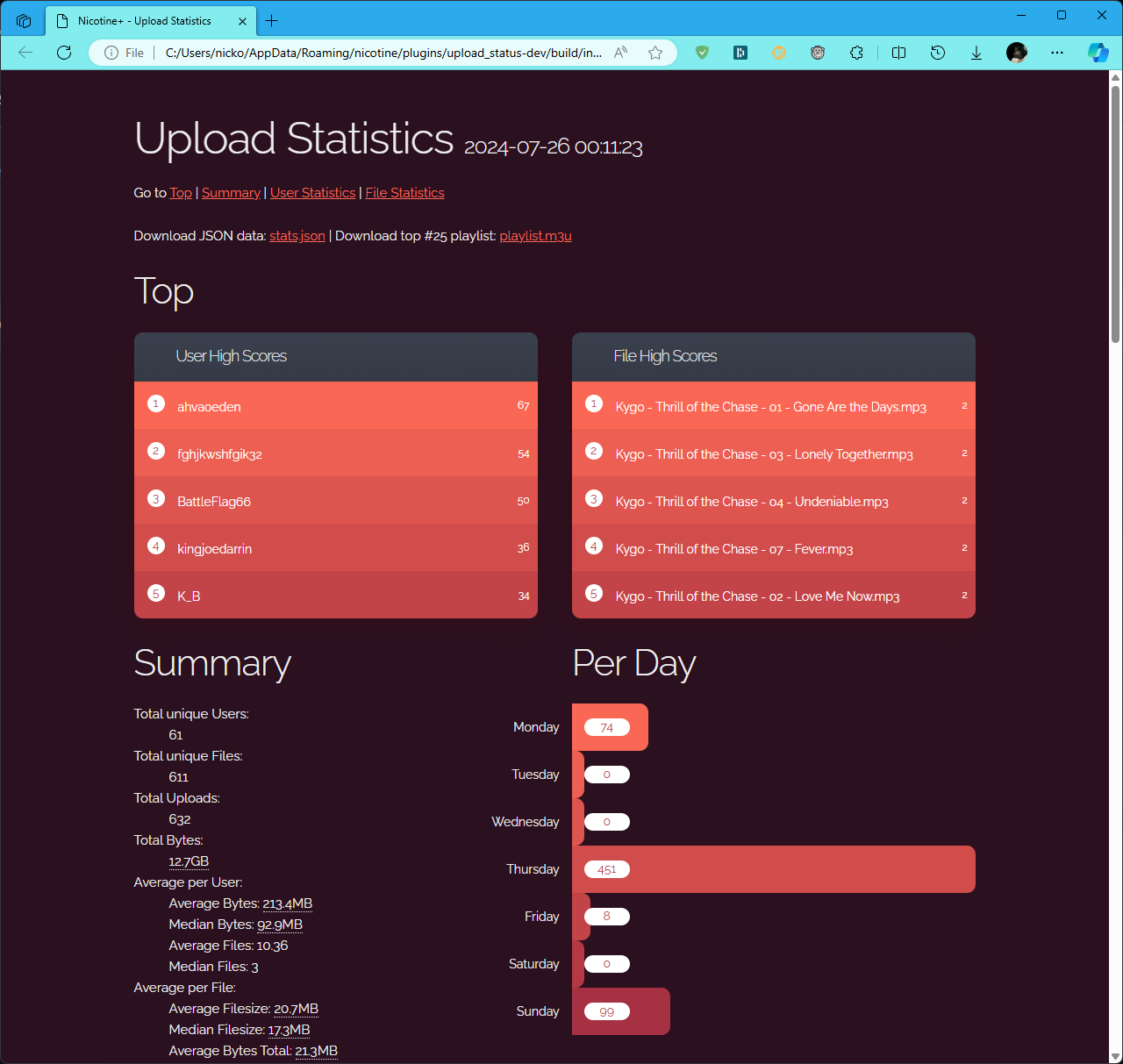
By default Nicotine+ only shows the total amount of uploads and downloads. This plugin will show you the amount of uploads and downloads per user, the amount of uploads and downloads per file and the total number in bytes and many more.
To make this as user friendly as possible the statistics can be displayed
in a convinient web interface using the /up-stats command.
Additionally to the webpage it also creates a playlist with the top most
downloaded files. This playlist can be opened with the /up-play command.
You can use /help or /up-help on N+ versions below 3.3.0 to get a
list of all available commands.
Commands
Main commands
/up-open: Open the statistics page/up-stats: Alias for/up-open/up-play: Open the top 25 uploads playlist file
Building commands
/up-rebuild [user threshold] [file threshold]: Rebuild the statistics page and playlist file, with optional custom thresholds/up-rebuild-page [user threshold] [file threshold]: Rebuild the statistics page with optional custom thresholds/up-rebuild-playlist: Rebuild the playlist file
Backup commands
/up-backup: Create a backup of the statistics/up-list-backups: List all backups/up-restore [backup file]: Restore the latest backup or a specific backup
Reset commands
/up-reset: Start the reset process/up-reset-abort: Cancel the reset process/up-reset-confirm: Confirm the reset process
Note
The /up-... prefix is used for all commands of this plugin to prevent
collisions with other plugins.
Note
This plugin is built with the npc (Nicotine+ Plugin Core) framework.
It is a powerful core for building feature-rich Nicotine+ plugins with ease.
See also
It’s documentation.